The 4 Specs That Actually Matter
Height: Why 62" is the Sweet Spot
Most creators don’t realize that tripod height directly controls whether you look professional or not. When your camera sits too low (24–36 inches), it shoots upward at your face, making your nose look bigger and your double chin more prominent. When it sits at standing eye level (55–62 inches), you get the same flattering angle that studio photographers pay hundreds of dollars to achieve.
For solo YouTube creators, fitness coaches, and vloggers, 62 inches is the ideal maximum height. It lets you frame a full-body shot from a standing position without pointing the camera up or down. Tabletop tripods (6–12 inches) are fine for desk setups, podcast mics, or product photography, but they’re impractical for the content most solo creators make.
Stability: Why Lightweight Doesn’t Mean Flimsy
A common misconception is that lighter tripods are less stable. That’s true if they’re cheap plastic, but modern aluminum and nylon designs can be both light (under 1 lb) and rock-solid. The key is base construction: a wider, heavier base with non-skid feet keeps the tripod from tipping when you nudge the phone or adjust the camera angle mid-recording.
Avoid tripods with thin, spindly legs or bases smaller than 8 inches in diameter. They might weigh half a pound, but they’ll also tip over if you breathe on them. Look for three-point contact feet with rubberized grips and a center post that doesn’t wobble when you extend the legs.
Compatibility: Universal Clamps vs Proprietary Mounts
Most phone tripods use a universal phone clamp that works with any smartphone from 2.2 inches to 3.5 inches wide. This is good. Some tripods have proprietary mounts designed only for one brand of phone — avoid these. You’ll want to upgrade your phone in two years, and your tripod should still work.
Look for a cold shoe mount (the small metal bracket on top of the head) if you plan to attach accessories like a microphone, ring light, or LED. It’s a small detail, but it makes a huge difference in a content creator’s workflow.
Remote: Bluetooth vs Infrared vs Timer
A Bluetooth remote is non-negotiable for solo creators. Without one, you either set a 10-second timer and frantically position yourself (unpredictable footage), or you walk back and forth to your phone to start and stop recording (wastes time and footage). A 33-foot Bluetooth remote lets you stay in frame and control the camera from anywhere in a small room.
Infrared remotes work but require line-of-sight and are finicky. Timers are better than nothing, but they don’t solve the problem of stopping recording.
Who Needs a Phone Tripod?
Solo Creator
Filming tutorials, vlogs, and content without an assistant. A height-adjustable tripod with a remote is essential.
Fitness Coach
Workout videos at eye level, hands-free, so you can focus on form and energy without worrying about the camera angle.
Remote Worker
Zoom calls and webinar setups. A tripod at eye level looks more professional than a laptop tilted upward.
Traveler
Lightweight enough to pack in a carry-on. Many models convert to a selfie stick for unique shots.
Stop Filming Like This.
Most creators film from a laptop at desk level, balancing their phone on stacked books or propping it against a coffee mug. The result: shaky footage, awkward angles, and content that looks homemade instead of professional.
A $22 tripod with a remote fixes this instantly. You get steady footage, professional framing, and the ability to stay in character while the camera rolls. Your audience doesn’t need to know you’re standing in your living room — great lighting and composition make it look like a proper studio setup.
19,000+ reviewers gave this tripod 4.6 stars. They’re not filmmaking professionals. They’re fitness coaches, online teachers, content creators, and remote workers who needed something that just works.
View on Amazon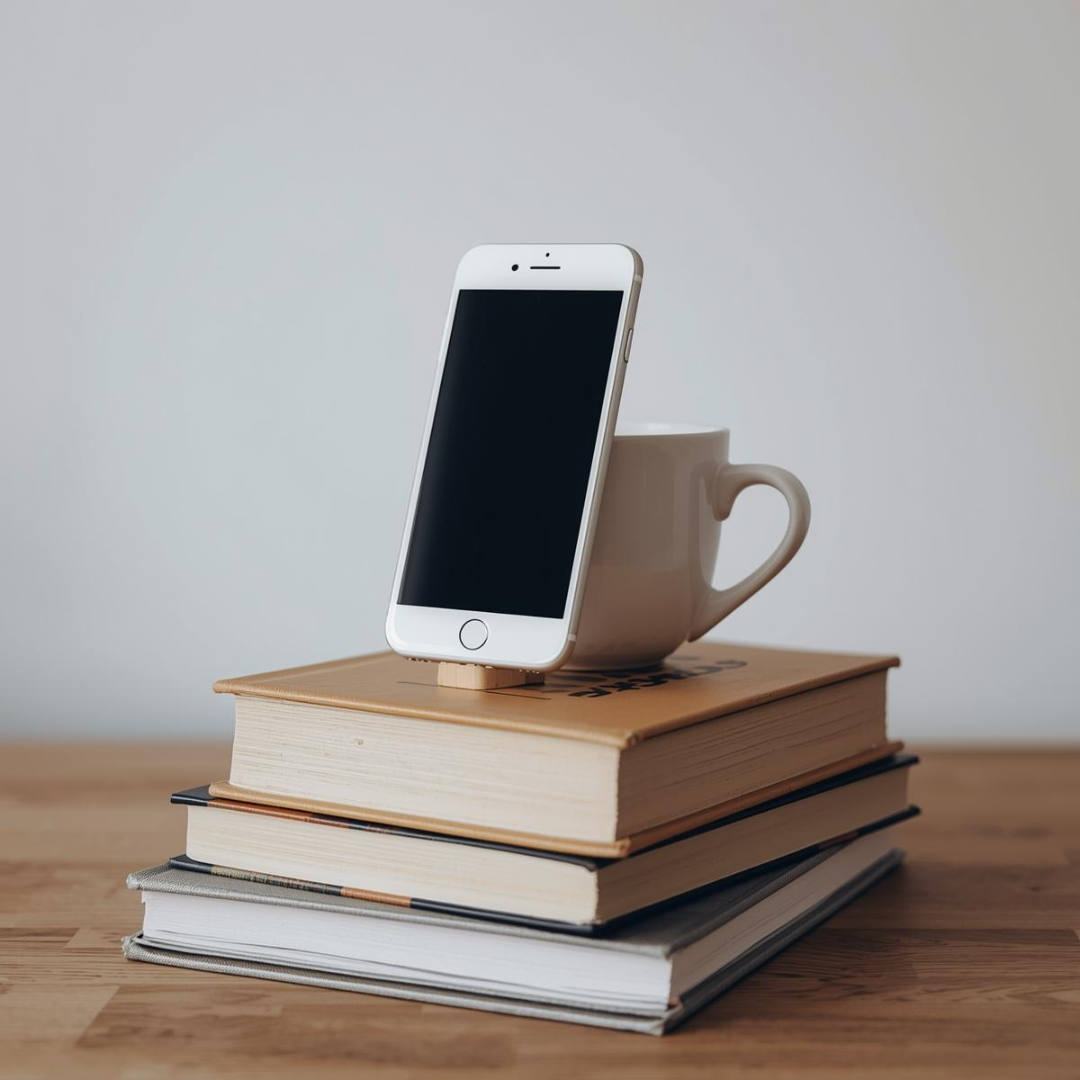
What Makes This Tripod Stand Out

Stable Base
Wide three-point stance with rubberized feet. Won’t tip over when you adjust the phone.

Smooth Pan & Tilt
Adjust camera angle without loosening clamps. Pan and tilt adjustments stay put.

Bluetooth Remote
Start and stop recording from 33 feet away. Included in the box.

Universal Phone Clamp
Works with any smartphone. Spring-loaded grip holds tight without scratching.

Lightweight & Portable
0.8 lbs. Fits in a backpack. Great for on-location shoots and travel.

Cold Shoe Mount
Attach a ring light, microphone, or LED without extra adapters.
The Original Hero Video
Why Creators Choose This Tripod
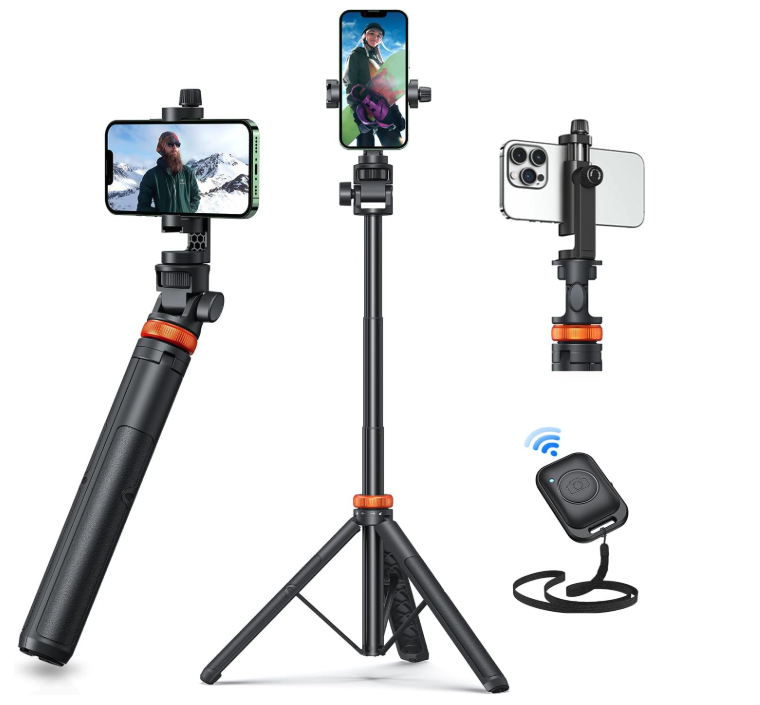
The EUCOS 62-inch phone tripod has become the go-to choice for solo content creators because it solves the exact problems that cheaper tripods create. It’s tall enough to frame you at eye level, stable enough to hold your phone steady while you move around, and includes a Bluetooth remote that lets you control the camera from across the room.
Unlike tripods that require a separate purchase of the remote, this one comes with everything in the box. Unlike models that only work with certain phone sizes, this universal clamp fits any smartphone. And unlike expensive studio tripods, this costs less than a decent microphone.
With over 19,000 reviews averaging 4.6 stars, it’s not the fanciest tripod on the market — but it’s the most reliable for the price, which is why most solo creators who’ve tried it keep coming back.
Spec Comparison: Generic vs This Tripod
| Feature | Generic $10 Tripod | This Tripod |
|---|---|---|
| Max Height | 18–24 inches | 62 inches |
| Weight | 1.2–2 lbs | 0.8 lbs |
| Remote Included | No | Yes (33 ft Bluetooth) |
| Phone Clamp Type | Fixed size | Universal, spring-loaded |
| Accessories Mount | No | Cold shoe included |
| Rating | Varies | 4.6 ★ / 19,000+ reviews |